
MxCAD Function Series: Master Object Snap (OSMODE)
In the world of Computer-Aided Design (CAD), tiny dimensional discrepancies can easily lead to engineering accidents. To guarantee absolute drawing precision, Object Snap (abbreviated as OSNAP) serves as an indispensable tool for every engineer and designer. On the MxCAD platform, the rules and underlying logic of Object Snap are highly consistent with AutoCAD. It allows the cursor to automatically snap to key feature points of existing geometric objects, such as endpoints, midpoints, circle centers, etc., completely eliminating positioning errors caused by manual operation. The system variable OSMODE acts as the "behind-the-scenes commander" that controls this powerful function. Below, we will break down the operating logic of Object Snap step by step and guide you to fully implement this core feature from scratch in MxCAD.
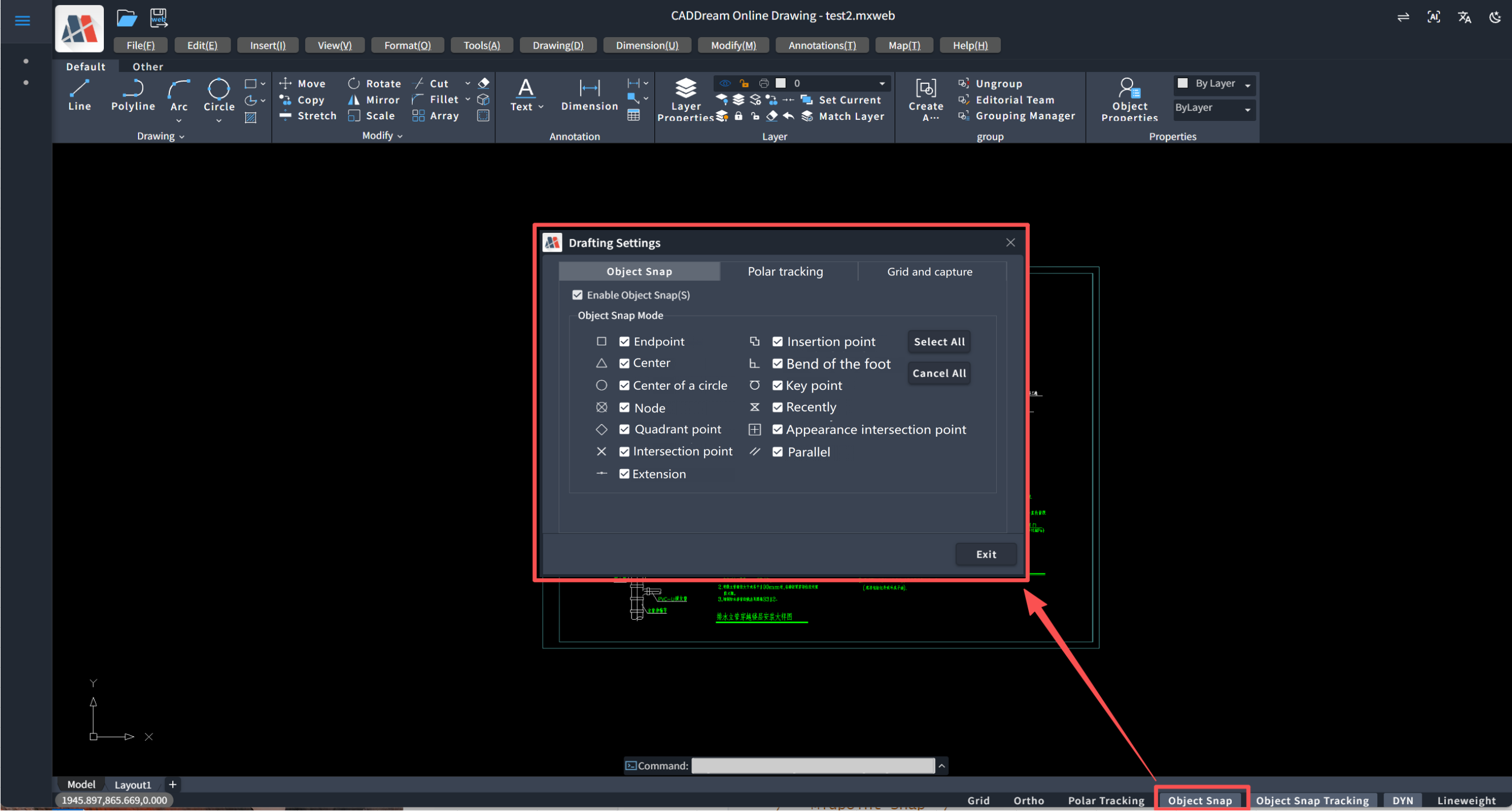
I. OSMODE: The Numeric Code of Object Snap
In MxCAD, every snap mode toggled via the UI or shortcut keys essentially modifies the value of the OSMODE system variable. OSMODE is not a simple on/off switch; it is a composite value composed of multiple enabled snap states. Each basic snap mode (e.g., Endpoint, Midpoint, Intersection) is assigned a unique fixed numeric value. When multiple snap modes are activated simultaneously, the system sums these individual values to generate a unique total OSMODE value. This means all active snap rules in the drawing are precisely encoded within this single number.
At the underlying code layer of MxCAD, these snap modes are uniformly defined, fully matching AutoCAD’s specifications. The corresponding individual bit values are listed below:
// Enumeration rules for Object Snap modes
enum SysVarLongSketchSettingsOsMode {
    /** Endpoint Snap */
    End = 1,
    /** Midpoint Snap */
    Mid = 2,
    /** Center Point Snap */
    Cen = 4,
    /** Node Snap */
    Node = 8,
    /** Quadrant Point Snap */
    Quad = 16,
    /** Intersection Snap */
    Int = 32,
    /** Insertion Point Snap */
    Ins = 64,
    /** Perpendicular Snap */
    Perp = 128,
    /** Tangent Snap */
    Tan = 256,
    /** Nearest Point Snap */
    Near = 512,
    /** Apparent Intersection Snap */
    App = 2048,
    /** Extension Snap */
    Ext = 4096,
    /** Parallel Snap */
    Par = 8192,
    /** Snap Disabled */
    Off = 16384,
}
II. Bitwise Arithmetic: Underlying Logic of OSMODE
The value of OSMODE is calculated based on a bitcode mechanism. Each snap mode’s value is a power of two, ensuring no binary bit conflicts between different modes.
1. Forward Calculation Rule
The forward rule calculates the final OSMODE total from a set of enabled snap modes. When combining snap functions in MxCAD, we essentially perform addition or bitwise OR operations. For example, if you enable Endpoint (1), Midpoint (2) and Center (4) at the same time, the system sums these three values (1 + 2 + 4 = 7), so the OSMODE value becomes 7. This mechanism allows any number of snap modes to be seamlessly combined into one variable.
The forward calculation can be implemented in TypeScript as follows:
/**
 * Calculate the total OSMODE value from an array of selected snap modes
 * @param selectedModes Array of selected snap mode enumeration values
 * @returns Computed total OSMODE number
 */
export function calculateOsModeTotal(selectedModes: SysVarLongSketchSettingsOsMode[]): number {
    // Use reduce for accumulation; initial value 0 means no snap modes enabled
    return selectedModes.reduce((total, currentMode) => {
        // Bitwise OR (|) is recommended to merge the current mode into the total
        // Examples: 0 | 1 = 1; 1 | 2 = 3; 3 | 4 = 7
        return total | currentMode;
    }, 0);
}
Suppose the user checks Endpoint, Midpoint and Center in the UI:
// 1. Simulate user selected items
const userSelection = [
    SysVarLongSketchSettingsOsMode.End,   // 1
    SysVarLongSketchSettingsOsMode.Mid,   // 2
    SysVarLongSketchSettingsOsMode.Cen    // 4
];
// 2. Invoke the calculation function
const totalValue = calculateOsModeTotal(userSelection);
// 3. Output result
console.log(totalValue);
// Console output: 7
// (Binary: 111, representing bits 1, 2, 3 are activated)
2. Reverse Parsing Rule
The reverse parsing rule extracts the original enabled snap modes from a given OSMODE value, relying on the bitwise AND (&) operator. Take OSMODE = 7 as an example: the system performs bitwise AND between 7 and each snap bitcode sequentially:
7 & 1 = 1 (True → Endpoint enabled)
7 & 2 = 2 (True → Midpoint enabled)
7 & 4 = 4 (True → Center enabled)
Reverse parsing implementation in TypeScript:
/**
 * Parse an OSMODE numeric value and return a list of currently enabled snap modes
 * @param osModeValue Retrieved OSMODE integer value (e.g.: 7)
 */
export function getEnabledOsnapModes(osModeValue: number): SysVarLongSketchSettingsOsMode[] {
    const enabledModes: SysVarLongSketchSettingsOsMode[] = [];
    // Iterate all numeric bitcodes from the enumeration
    Object.values(SysVarLongSketchSettingsOsMode)
        .filter((v) => typeof v === 'number') // Filter out reverse-mapped string keys
        .forEach((bitCode) => {
            // Core logic: bitwise AND operation
            // If (Total & SingleBit) === SingleBit, this bit is set to 1 (enabled)
            if ((osModeValue & (bitCode as number)) === bitCode) {
                enabledModes.push(bitCode as SysVarLongSketchSettingsOsMode);
            }
        });
    return enabledModes;
}
When loading drawings in MxCAD, read the current OSMODE state and synchronize it to frontend UI checkboxes:
// 1. Assume retrieved OSMODE value from MxCAD is 15253
const currentOsMode = 15253;
// 2. Call parsing function to get active snap modes
const activeModes = getEnabledOsnapModes(currentOsMode);
// 3. Output result
console.log(activeModes);
// Console output: [1, 4, 16, 128, 256, 512, 2048, 4096, 8192]
// Represents enabled modes: Endpoint, Center, Quadrant, Perpendicular, Tangent, Nearest, Apparent Intersection, Extension, Parallel
III. MxCAD Practical Implementation: Code Integration of Snap Functions
In real-world MxCAD development projects, developers can flexibly control OSMODE via abundant API interfaces. Combined with the bitwise logic covered above, you can implement a complete business closed loop including snap state reading, UI synchronization, dynamic configuration and persistent storage.
1. Read State & Sync to UI
Call MxCAD’s system variable read API to fetch real-time snap configurations. Use getSysVarLong("OSMODE") to retrieve the numeric value, then parse it into a list of active snap modes with the encapsulated reverse parsing utility to synchronize checkbox states on the frontend UI.
import { MxCpp } from "mxcad";
// 1. Get current drawing's OSMODE value
const currentOsMode = MxCpp.getCurrentMxCAD().getSysVarLong("OSMODE");
console.log("Current total snap value:", currentOsMode);
// 2. Reverse parse: extract all enabled snap modes from the total value
const activeModes = getEnabledOsnapModes(currentOsMode);
console.log("Currently active snap modes:", activeModes);
// 3. Sync to UI: update frontend checkboxes with parsed snap modes
// uiState refers to your frontend state management object
activeModes.forEach((mode) => {
    uiState.setOsnapChecked(mode, true);
});
2. Dynamic Configuration & Persistent Storage
When the user modifies snap options in the UI, calculate the new total value via the forward function and inject the configuration into the MxCAD engine with setSysVarLong("OSMODE", value). For engineering business scenarios requiring persistent OSMODE configurations (to avoid reconfiguring on every drawing launch), store the OSMODE value locally or in a backend database for later restoration.
// 4. Dynamic configuration: user checks Endpoint(1) and Midpoint(2), total value = 3
const totalValue = calculateOsModeTotal([
    SysVarLongSketchSettingsOsMode.End,
    SysVarLongSketchSettingsOsMode.Mid
]);
// 5. Write new snap configuration back to the MxCAD engine
MxCpp.getCurrentMxCAD().setSysVarLong("OSMODE", totalValue);
// 6. Persistent storage: save OSMODE to LocalStorage as an example for later recovery
localStorage.setItem("my_cad_osmode", totalValue.toString());
This code-level control enables MxCAD to easily implement advanced features such as one-click snap mode switching, intelligent drawing assistance, and persistent personalized user configuration memory.
IV. Demo Effect: Precise Cursor Snapping Visual Experience
With correctly configured OSMODE, MxCAD delivers a smooth and responsive interactive experience:
When drawing line segments, the cursor automatically highlights and locks onto endpoints of existing lines when hovering nearby, ensuring seamless connections for new geometry
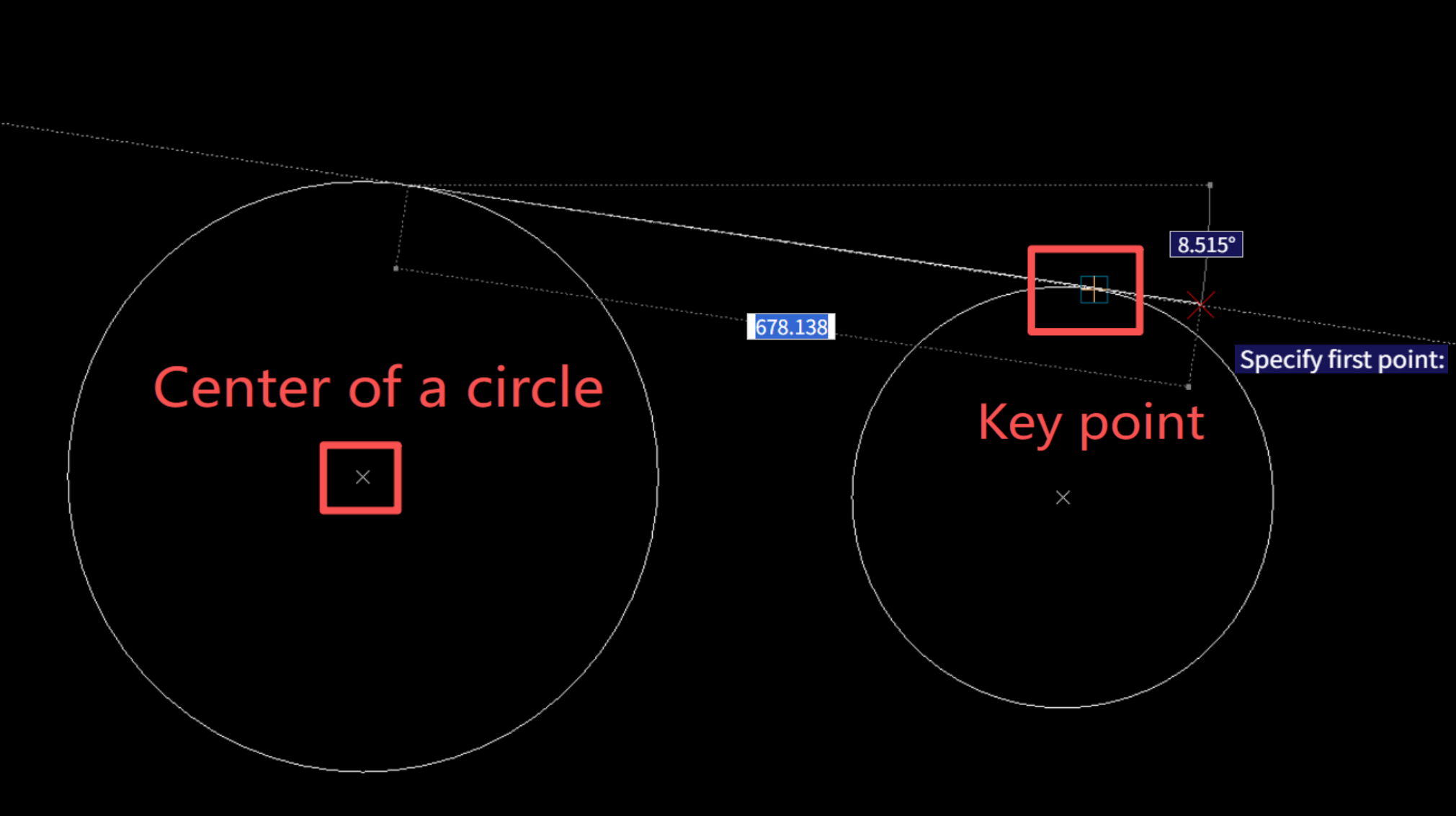
When drawing tangent circles, enable Tangent Snap (256). The cursor slides along arcs and locks precisely at tangent points
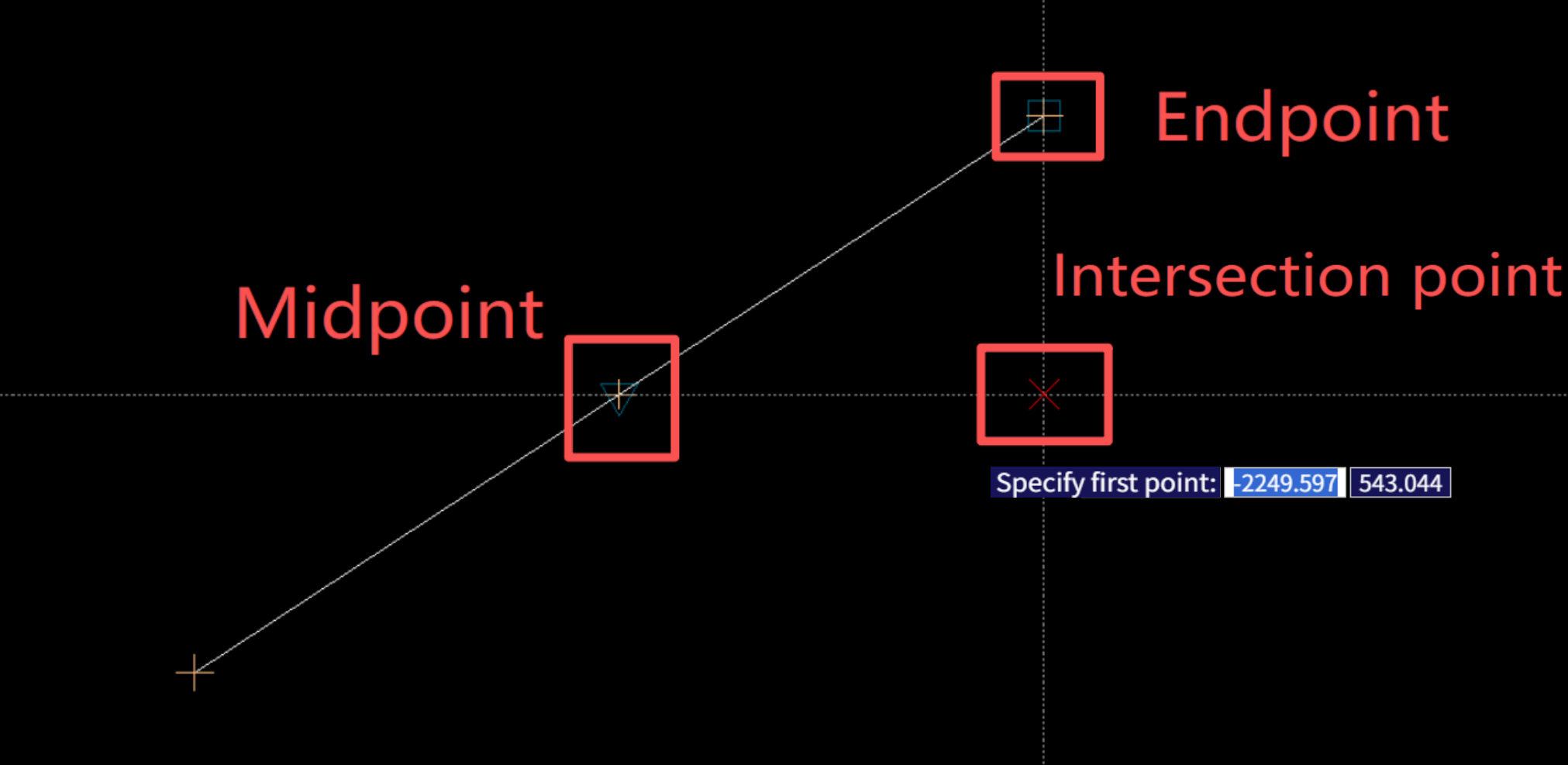
For arbitrary point selection, enable Nearest Snap (512). The cursor magnetically adheres to object edges and locks onto the geometric point closest to the cursor, preventing misselection of blank canvas areas or misalignment with target geometry.
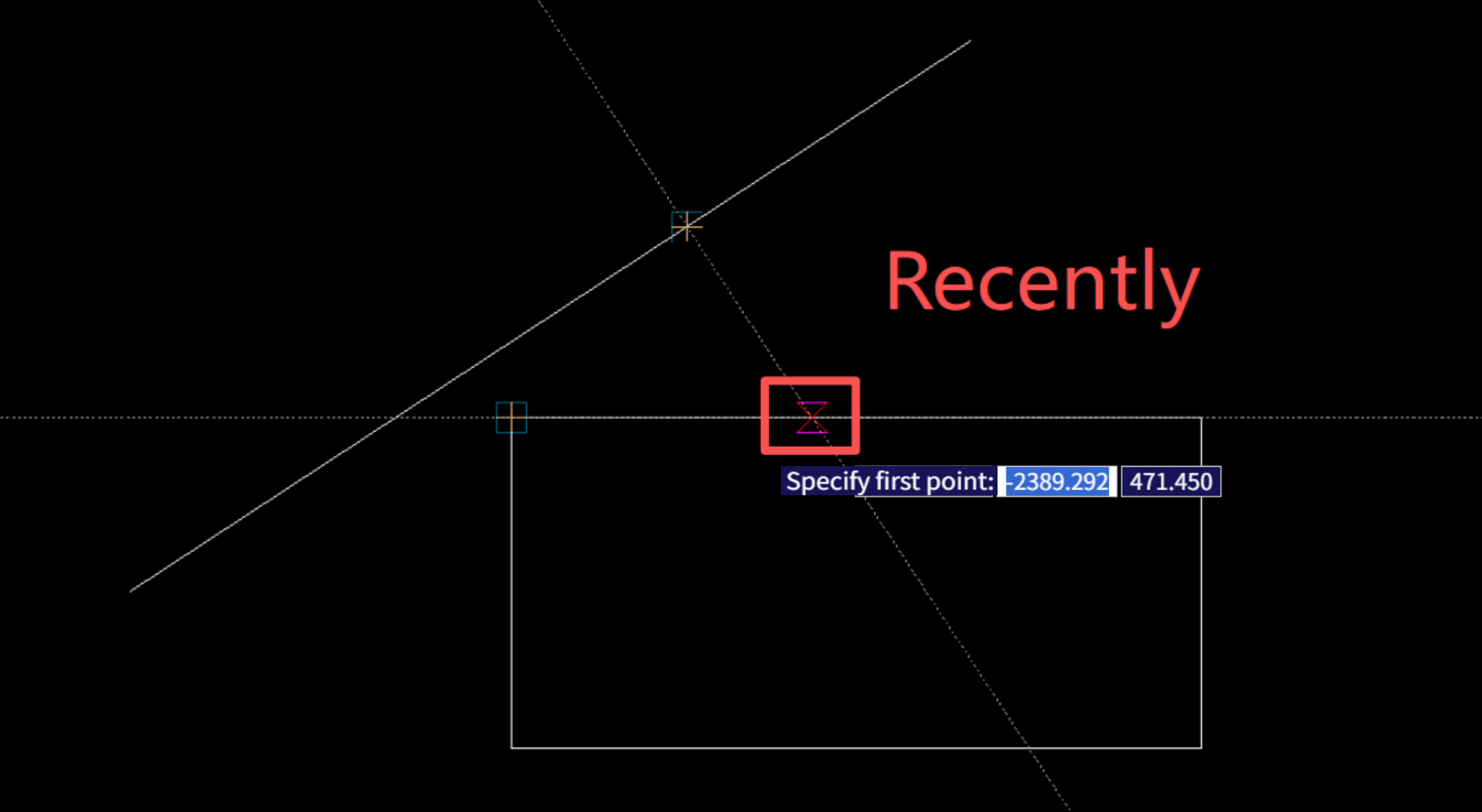
Through in-depth understanding and flexible application of OSMODE, MxCAD inherits the rigorous precision of traditional desktop CAD software while providing high-performance, accurate, and fully customizable digital drafting experiences for web-based engineering drawing.
V. Conclusion
From rigorous underlying bitwise arithmetic logic, smooth visual snapping interactions, to a complete end-to-end code implementation workflow within MxCAD, this document fully demystifies Object Snap (OSMODE).
OSMODE is only a microcosm of CAD secondary development. It demonstrates that high-quality web CAD software must not only match the precision and fluidity of traditional desktop applications, but also expose clear, transparent, and extensible low-level APIs for developers. Mastering OSMODE bitwise operations and persistent configuration control empowers you to build smarter drawing assistance tools and marks a critical milestone toward advanced MxCAD development.
This comprehensive guide aims to eliminate obstacles on your development journey. We will continue releasing articles in the MxCAD core function analysis series to unlock more underlying web CAD technologies — stay tuned!